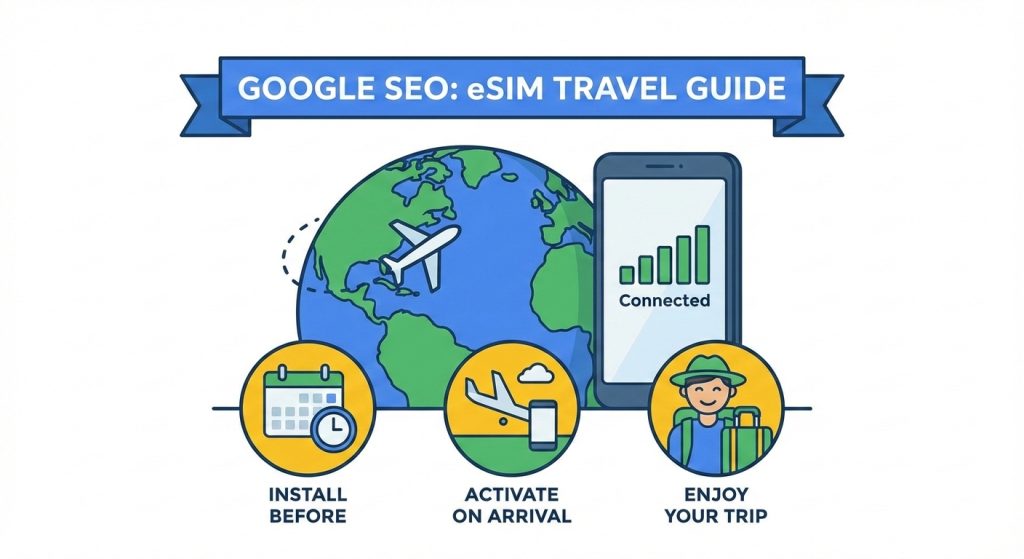
Ever landed in a new country only to realize you have no data—and no way to call a cab or find your hotel? If you’re wondering should I install an eSIM before travelling, you’re not alone. Getting your eSIM set up before your trip can save you from frustrating delays and sky-high roaming charges. But timing matters: installing too early or activating too soon can waste your data plan. In this guide, you’ll discover exactly when and how to install and activate your eSIM so you’re connected the moment you touch down. Let’s make sure your next trip starts smoothly with reliable, affordable travel eSIM connectivity.
What Is an eSIM and How Does It Differ from a Physical SIM? #
An eSIM (embedded SIM) is a digital version of the traditional SIM card that’s built into your phone or device. Instead of swapping physical SIM cards when you travel, you download a virtual SIM profile directly onto your device. This new technology changes the way you manage mobile plans, making international travel much smoother.
Key Advantages for Travelers
- No SIM swapping: Easily switch carriers or plans without removing any cards.
- Dual-SIM capability: Use your home number and a travel data plan simultaneously.
- Instant setup: Activate data plans quickly, often right upon landing without visiting a store.
Quick Comparison Table: eSIM vs. Physical SIM vs. Home Roaming
| Feature | eSIM | Physical SIM | Home Roaming |
|---|---|---|---|
| Cost | Usually cheaper local/global plans | Often requires buying local SIMs | Can be very expensive |
| Convenience | No card swapping, dual SIM ready | Must swap cards, single SIM mostly | No setup needed, but expensive |
| Coverage | Wide coverage via multiple providers | Depends on SIM purchased | Limited by home carrier’s roaming agreements |
| Setup Speed | Instant download and activation | Requires physical purchase and insert | Immediate but costly |
Using an eSIM for international travel is an excellent choice if you want hassle-free connectivity, flexible multi-country plans, and to avoid roaming charges abroad.
Pros and Cons of Using an eSIM for International Travel #
Using an eSIM for international travel comes with clear benefits but also a few things to watch out for.
Pros:
- Affordable data plans: Many eSIM providers offer cheaper rates compared to roaming with your home SIM.
- Instant connection on arrival: No need to hunt for a local SIM or wait to activate service.
- Great for multi-country trips: You can switch between plans in different countries without swapping cards.
- Keep your home number active: With dual SIM functionality, your original number stays reachable.
Cons:
- Device compatibility required: Not all phones support eSIM technology yet, so check before relying on it.
- Some plans start validity on installation: If you install too early, your plan might start when you don’t need it.
- Setup issues without stable Wi-Fi: Installing and configuring usually needs a good internet connection, so poor Wi-Fi can cause delays.
All in all, an eSIM is a solid choice for most travelers who want flexibility and convenience, but it pays to double-check compatibility and plan start rules beforehand.
Should You Install Your eSIM Before Traveling? The Short Answer #
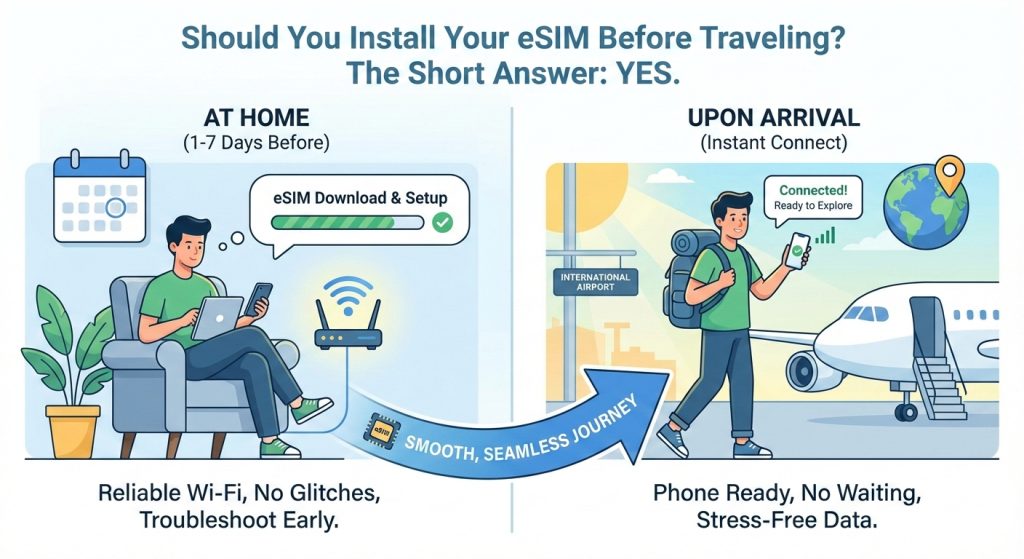
Yes, you should install your eSIM before you travel—ideally 1 to 2 days, or even up to a week, ahead of your departure. Doing this gives you peace of mind and makes your trip smoother from the start.
Here’s why pre-installing your eSIM makes sense:
- Reliable home Wi-Fi lets you download and set up your eSIM without glitches.
- You get time to troubleshoot any issues before you’re on the go.
- Once you land, your phone is ready to connect instantly, so no waiting or fumbling with SIM changes.
Pre-installing your eSIM also means you’ll avoid last-minute stress trying to set up new data plans while traveling. It’s a smart, simple step to ensure a seamless travel experience with your eSIM for international travel.
Installation vs. Activation: What’s the Difference? #
When dealing with an eSIM for international travel, it’s crucial to know the difference between installation and activation:
| Term | What It Means | When to Do It | Notes |
|---|---|---|---|
| Installation | Downloading the eSIM profile to your phone | Any time before your trip | Safe to install early using home Wi-Fi |
| Activation | When your mobile data plan actually starts | Usually on arrival | Often automatic when you first connect to the local network |
Most providers design eSIM plans to activate on arrival in your destination country—this helps you avoid starting your plan too early and wasting data or validity days. But since policies vary, always check with your provider to make sure your plan won’t start as soon as you install the eSIM.
Knowing this helps you pre-install your eSIM safely before traveling and activate exactly when you need it, keeping your international data costs low and convenient.
Step-by-Step Guide: How to Install and Set Up Your eSIM Before Your Trip #
Getting your eSIM ready before travelling is straightforward. Here’s how to do it smoothly, so you avoid last-minute stress.
1. Check Device Compatibility and Unlock Status
- Make sure your phone supports eSIM (most newer iPhones and Androids do).
- Confirm your device is unlocked to use other carriers’ eSIM plans.
- You can quickly check compatibility in your phone settings or on the manufacturer’s website.
2. Choose the Right eSIM Plan
- Pick a plan that fits your travel style:
| Plan Type | Best For | Coverage |
|———–|——————————–|——————–|
| Global | Multi-country trips | Worldwide |
| Regional | Specific continents (Europe, Asia) | Target regions |
| Local | Single country stays | One country | - Look for affordable data packages that avoid roaming charges abroad.
- Many providers offer travel eSIM setup guides and easy app purchases.
3. Purchase and Install
- Buy your eSIM through the provider’s website or app.
- Installation methods:
- QR Code: Scan via Settings > Cellular > Add Cellular Plan.
- App Download: Some providers let you install directly from their app.
- Follow on-screen prompts for both iOS and Android—it’s usually a quick download of the digital SIM profile.
4. Test Setup at Home Without Activating Data
- Once installed, test your phone to make sure the eSIM profile is listed.
- Don’t turn on data roaming or activate the plan yet—this avoids starting your validity prematurely.
- You can label your new line (e.g., “Travel Data”) under settings to avoid confusion later.
5. Settings Tips for Smooth Travel
- Label your eSIM line clearly in Settings (e.g., “Europe Trip”).
- Enable Data Roaming on the eSIM line when you arrive.
- Set your home SIM as primary for calls and SMS; use the eSIM as secondary for data.
- Keep the home SIM active to receive texts or calls from your usual contacts.
By following these steps, your travel eSIM setup will be ready to activate as soon as you land—no scrambling needed. This pre-install travel eSIM process helps you avoid early activation and get connected fast.
Best Timing: When Exactly Should You Install and Activate Your eSIM? #
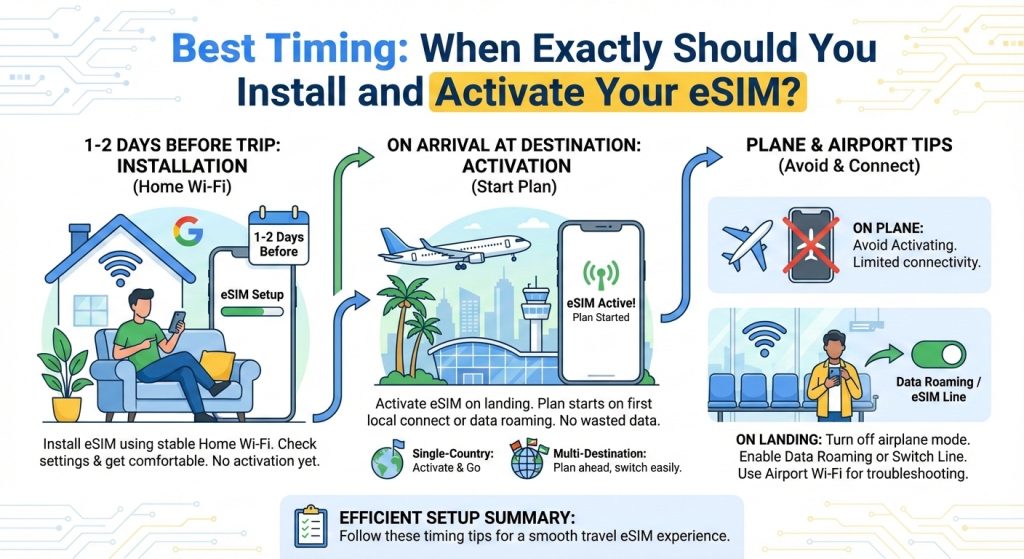
The best time to install your eSIM before traveling is usually 1 to 2 days before your trip. This gives you enough time to set everything up using your home Wi-Fi, check for any issues, and get comfortable with the settings.
Activate your eSIM on arrival in your destination. Most eSIM plans start only when you first connect to the local network or turn on data roaming. This means you won’t waste any data or validity days before you land.
Single Country vs. Multi-Destination Trips
- Single-country trips: Install 1-2 days ahead, activate on arrival, and you’re good to go.
- Multi-destination or long trips: Some plans let you switch between countries without extra activation steps. Still, installing early helps you plan better.
What to Do on the Plane or at the Airport
- Avoid activating the eSIM on the plane due to limited connectivity and airplane mode.
- Once you land, turn off airplane mode and enable data roaming or switch to your eSIM line to start your plan.
- Use airport Wi-Fi if you need to troubleshoot or finish the setup before activating data.
Following these timing tips ensures that your travel eSIM setup is smooth, hassle-free, and ready when you need it the most.
Common Mistakes to Avoid When Setting Up an eSIM #
Setting up your eSIM before travelling is super convenient, but there are some common slip-ups to watch out for:
- Installing too early on ‘immediate activation’ plans Some eSIM plans start their validity the moment you install them. If you install way in advance, you might burn through your data or days before you even leave. Always check if your plan activates immediately or only when you connect abroad.
- Forgetting to disable home data roaming To avoid surprise roaming charges, make sure your phone’s home data roaming is off before leaving. Otherwise, your phone might connect to expensive home carrier roaming instead of your eSIM abroad.
- Not testing device compatibility beforehand Not every phone supports every eSIM plan or carrier. Before you book your travel eSIM, confirm your device is unlocked and compatible. This saves you from nasty surprises at the airport.
- Deleting the eSIM profile accidentally Once installed, do not delete the profile or reset your device without backing up. Deleting means you’ll have to reinstall and possibly repurchase the plan, leading to hassle and delays.
Keep these in mind to ensure your travel eSIM setup is smooth and ready when you land—no last-minute panic!
Troubleshooting: What If Your eSIM Doesn’t Work on Arrival? #
Sometimes, things don’t go as planned, and your eSIM for international travel might not connect right away. Here’s what you can do if your eSIM doesn’t work when you land:
- No Signal?
- Restart your device — sometimes a quick reboot does the trick.
- Try manual network selection by going into your phone’s settings and picking a local carrier.
- Check APN (Access Point Name) settings; these control your data connection and may need adjusting if your data isn’t working.
- Activation Errors?
- Contact your eSIM provider’s support team. Most eSIM services have responsive customer care ready to help fix activation issues fast.
- Don’t panic if activation doesn’t happen immediately—sometimes it takes a few minutes or a restart after activation.
- Fallback Options:
- Use airport or local Wi-Fi to troubleshoot or complete activation steps.
- Keep a physical SIM card handy just in case your eSIM fails completely, especially for longer trips or if you rely heavily on data.
Taking these steps can save you from losing connection right when you need it most. Always test your eSIM setup before traveling, but if problems pop up, these tips will help keep you online without stress.
eSIM Alternatives: When Might You Skip It? #
While eSIMs are great for many travelers, there are times when you might want to skip installing one.
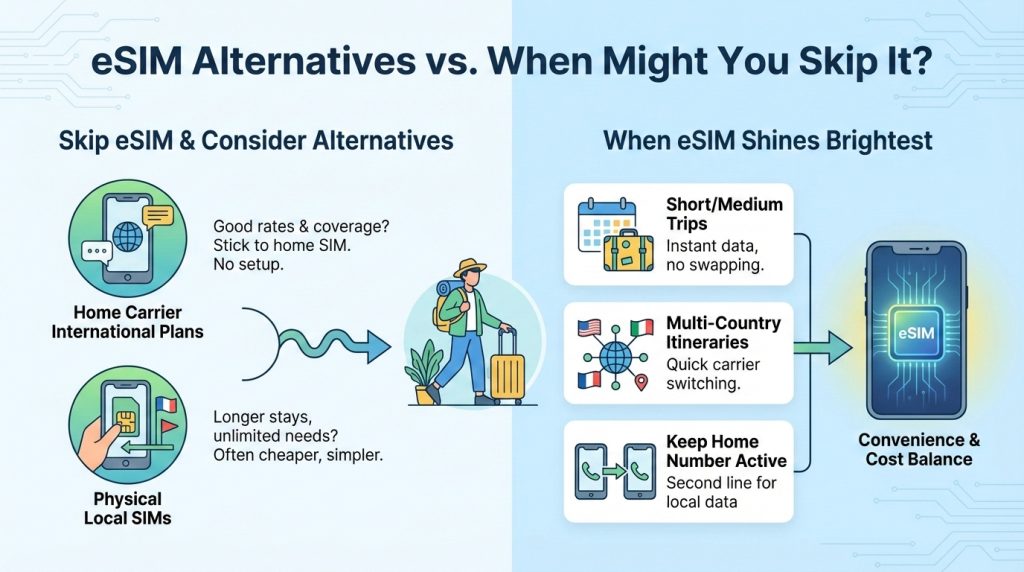
Home carrier international plans:
If your current mobile provider offers decent international plans with affordable rates and good coverage, sticking with your home SIM can be easier. This avoids any extra setup or compatibility checks.
Physical local SIMs:
For long stays or if you need unlimited calls and data, buying a local SIM card at your destination can sometimes be cheaper and more straightforward. Local SIMs often come with better local network speeds and offer a simpler pay-as-you-go experience.
When eSIM shines brightest:
- Short to medium-length trips where you want instant data without swapping SIMs
- Multi-country itineraries that require quick switching between carriers
- Keeping your home number active while using a second line for local data
If your trip matches these scenarios, installing an eSIM before traveling usually gives the best balance of convenience and cost. But if you plan a longer stay or your home carrier’s roaming plan covers your needs, alternatives might save you some hassle.
Why Choose eSIM for Your Next Trip? #
If you’re wondering why an eSIM for international travel is worth it, here’s a quick look at what makes it stand out:
| Feature | Why It Matters |
|---|---|
| Competitive Pricing | Save big with plans tailored for travelers. No hidden roaming fees. |
| Wide Coverage | Connect in 100+ countries without swapping SIMs. Perfect for multi-country trips. |
| Easy App Setup | Buy, install, and manage your plan right from your phone—no store visits. |
| Reliable Support | Fast help if you hit snags, plus clear guides to get you going. |
By choosing an eSIM, you avoid the hassle of physical SIM cards and get instant access once you land. For global customers who need flexible, cost-efficient options, eSIMs are a game-changer.
Ready to save time and money? Check out top-rated eSIM data plans for Europe, Asia, and beyond—purchase and install your travel eSIM before your trip starts.
Explore your options and get connected today!
Related Sources #
https://www.gsma.com/solutions-and-impact/technologies/esim
https://www.pcmag.com/explainers/what-is-an-esim
https://www.fcc.gov/consumers/guides/esim-cards-faq
https://www.nytimes.com/wirecutter/blog/how-to-get-data-when-traveling-internationally
https://thepointsguy.com/guide/international-sim-card-esim
https://support.apple.com/en-us/118669
https://support.apple.com/en-us/118221
https://support.google.com/pixelphone/answer/9449293
https://www.samsung.com/us/support/answer/ANS00088549
https://www.theverge.com/23351934/esim-iphone-14-apple-how-to


